Inhaltsverzeichnis

        Log in and link
        Create and link


This article describes how to link an existing Switch edu-ID to FHNW or create a new Switch edu-ID and link it directly to FHNW.


german version

You have received an email from FHNW with the subject line «Link Switch edu-ID to FHNW» (Sender: noreply@fhnw.ch). This email asks you to create your Switch edu-ID or link an existing Switch edu-ID to FHNW.

If you cannot find the email in your inbox, please also check your junk or spam folder.
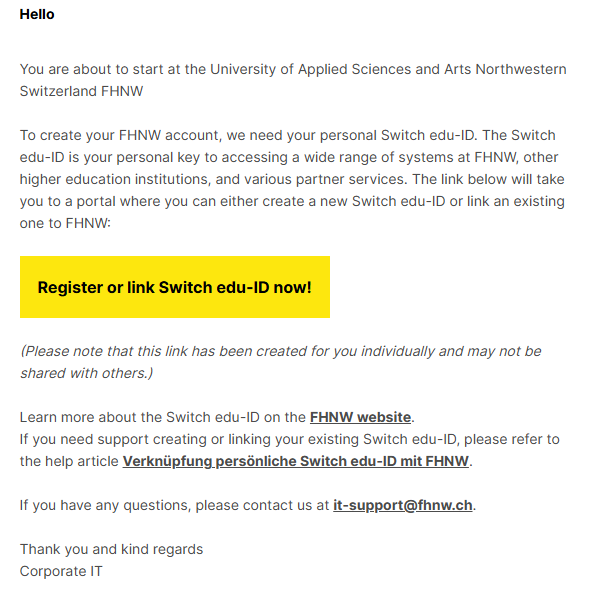
Open the email and click the «Register or link Switch edu-ID now!» button inside it.

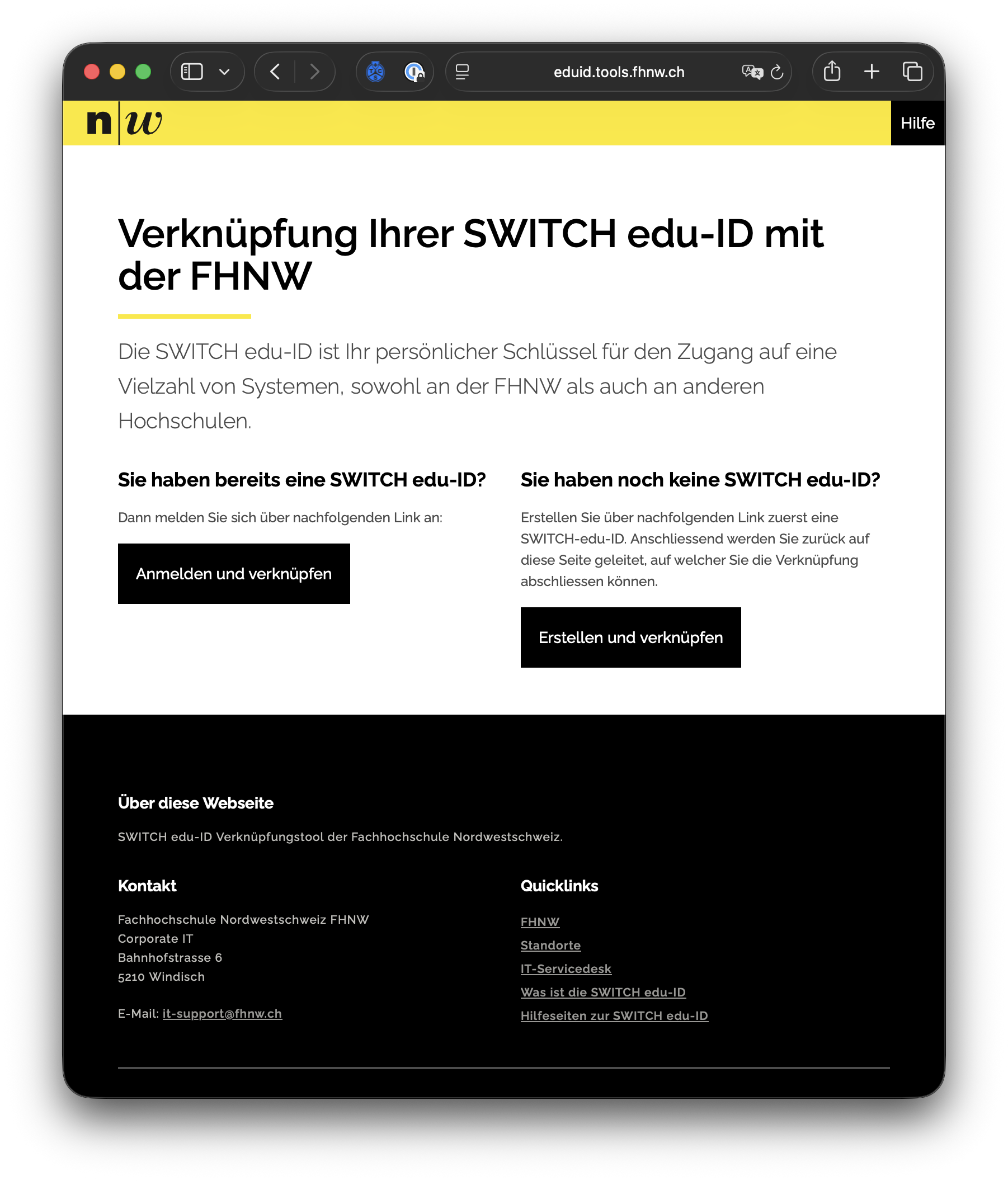
You will then be redirected to the Switch edu-ID portal.


There, you will have the following two options available:

a) Log in and link
If you already have a personal Switch edu-ID and would like to link it to FHNW, select the button "Log in and link".

>> proceed to  "Log in and link"


b) Create and link
If you do not yet have a personal Switch edu-ID, select the button "Create and link". In this case, you can create a new Switch edu-ID and link it directly to FHNW.

>> proceed to "Create and link"


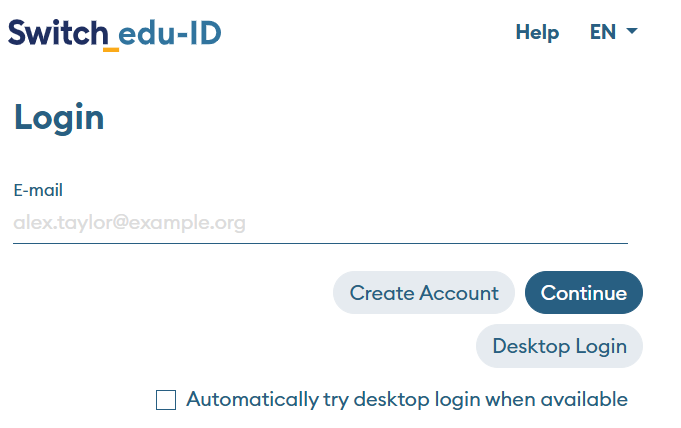
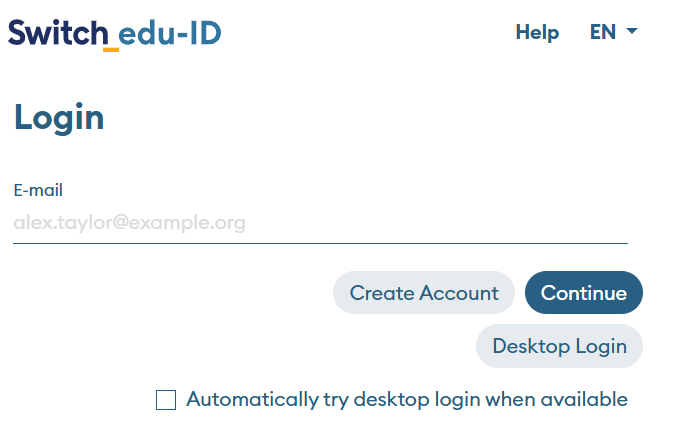
Log in with your personal Switch edu-ID.

Log in with your personal Switch edu-ID.

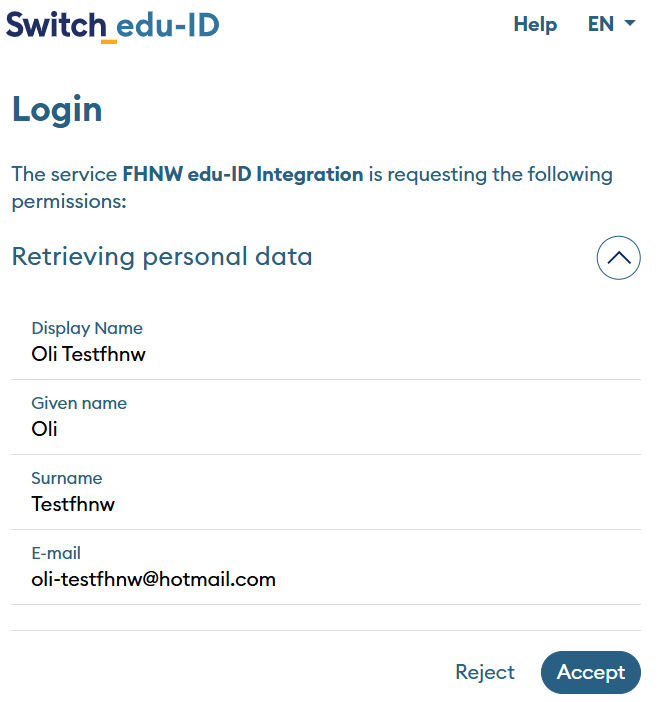
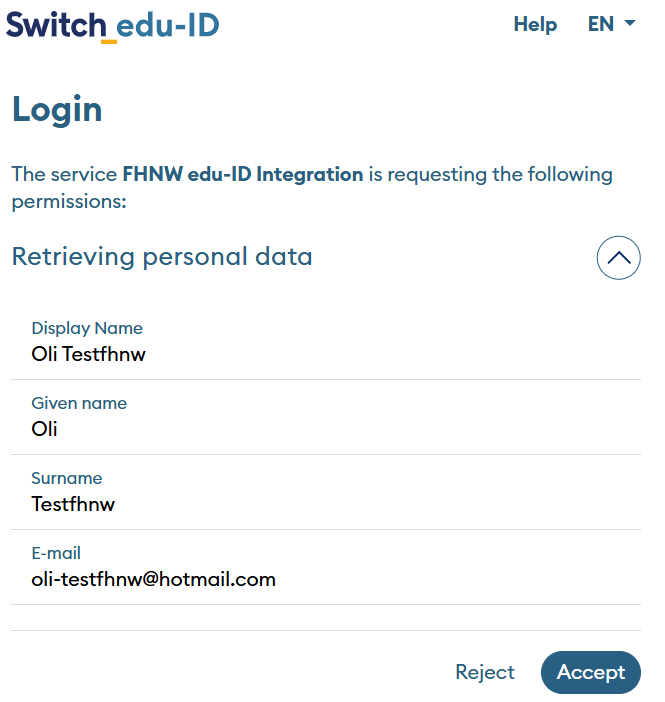
Check the information that will be transmitted to FHNW. If you agree with the selection, click "Accept". By doing so, you consent to the transfer of the listed data to FHNW and complete the process of linking your personal Switch edu-ID to FHNW.


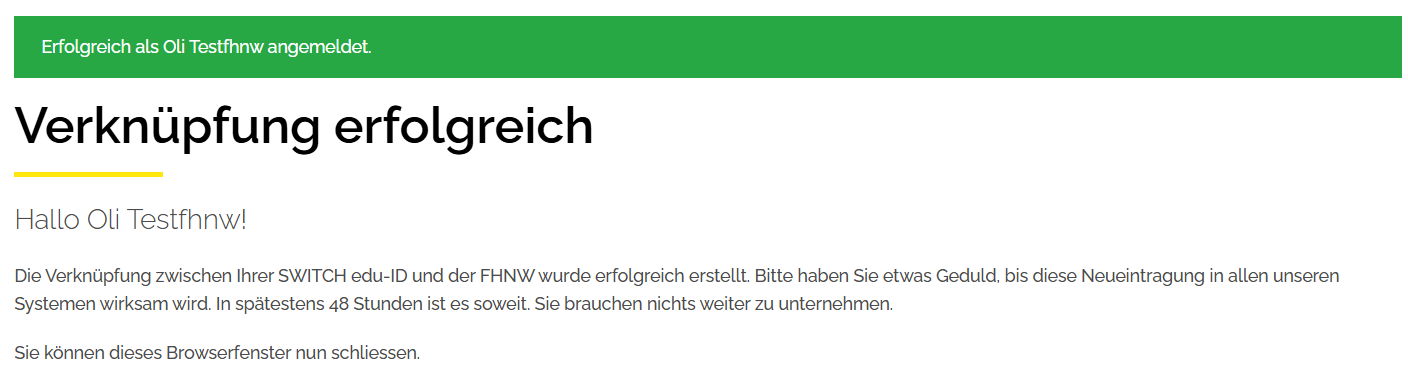
After successfully linking, you will be redirected to a confirmation page that confirms the successful link between your personal Switch edu-ID and FHNW.

Bild zu prüfen!


Click on «Create and link» and then on «Create Switch edu-ID».

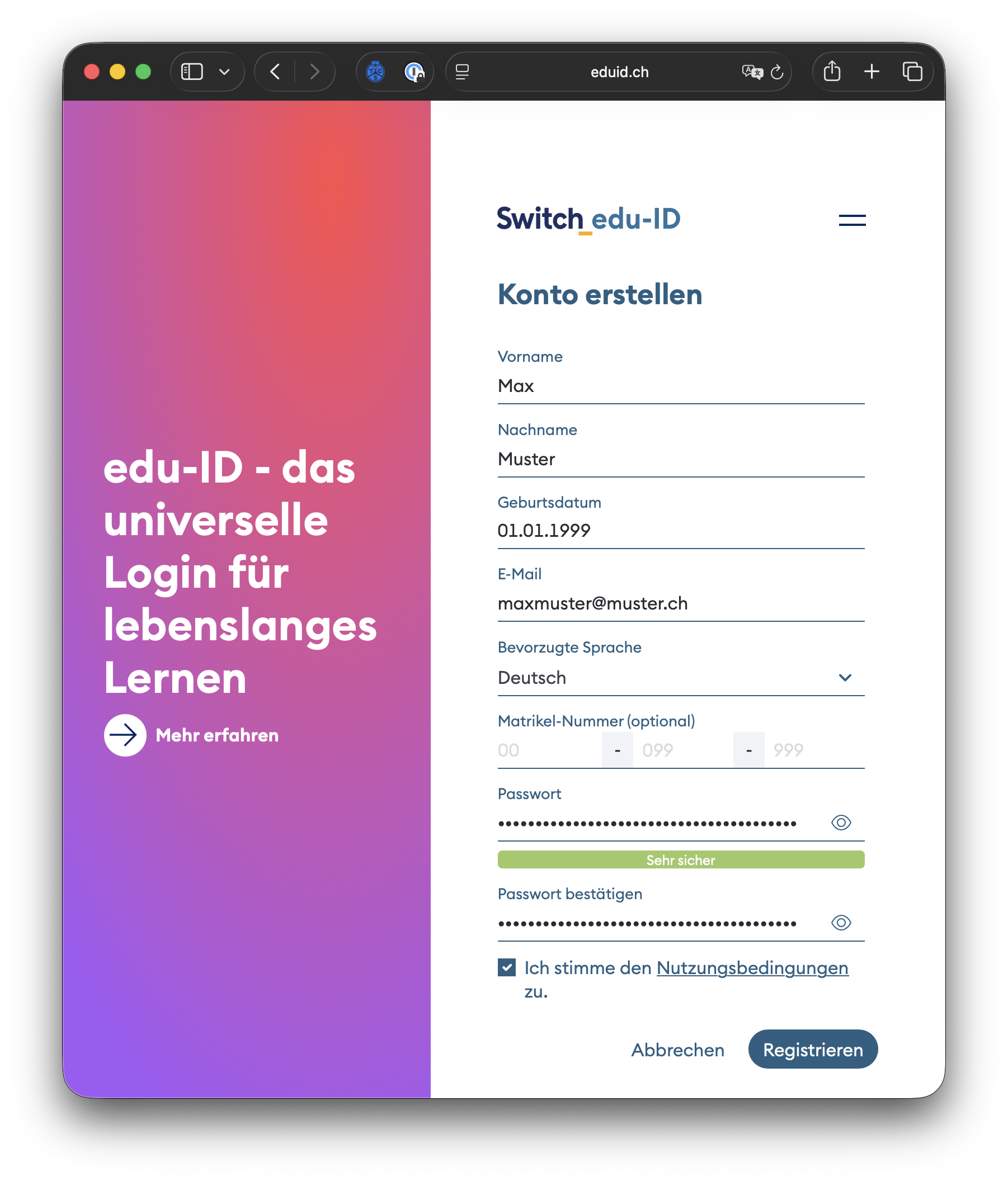
On the next page, click «Create Account» to continue registering your Switch edu-ID.


Fill in your personal details and use your private email address for the registration. The Switch edu-ID remains valid even after your studies or employment end, and should therefore not be created with an institutional email address.


Read the Terms of Use carefully, confirm them by checking the box, and enter the displayed security code.


Then click «Register».


After successful registration, you will be prompted to link your newly created Switch edu-ID to FHNW.


Check the information that will be transmitted to FHNW. If you agree with the selection, click «Accept». By doing so, you consent to the transfer of the listed data to FHNW and complete the linking of your Switch edu-ID to FHNW.


Angehängtes Dokument

edu-ID_ExplanatoryVideo.mp4

publiziert: 27. Oktober 2021 16:32 Service: S0050 - Account- und Berechtigungsverwaltung (IAM) Stichwörter: Studierende SWITCH edu-ID